Why Is My Orbital Sander Jumping? A Practical Troubleshooting Guide
Learn why an orbital sander jumps and how to diagnose and fix the issue quickly. This step-by-step guide covers pad, arbor, dust shroud, and safety tips for DIYers.


If you’re asking why is my orbital sander jumping, the most common cause is a loose or worn sanding pad or mounting hardware. A loose clamp or bent arbor can make the pad hop. Tighten or replace the pad, check the arbor straight, and clear debris before testing on scrap wood.
Why is My Orbital Sander Jumping?
If you've ever grabbed an orbital sander and felt it hop on the work surface, you're not alone. Why is my orbital sander jumping is a question DIYers ask during low-load sanding or when applying light pressure. According to SanderSavvy, the root cause is often mechanical rather than motor failure, and addressing the pad, arbor, and mounting hardware usually stops the jump. The SanderSavvy team found that most jumps are caused by a loose or worn pad, improper clamping, or a bent arbor. Before you assume a motor issue, inspect attachments and the path of rotation. Start with the simplest fix—the pad and its mounting—then move toward the arbor and shroud if needed. This approach keeps you safe and productive while protecting the wood you’re finishing. The quicker you identify the binding point, the faster you can restore smooth, safe operation.
Common Causes at a Glance
- Loose or worn sanding pad and mounting hardware (high likelihood)
- Bent or damaged arbor or spindle (medium likelihood)
- Improper pad mounting or incorrect clamp (medium likelihood)
- Dust shroud clogged or vacuum binding causing rotation issues (low likelihood)
- Wrong pad type or grit for the job (low likelihood)
- Incorrect speed setting or pressure during use (low likelihood)
Understanding these causes helps you prioritize checks and moves the troubleshooting forward with confidence.
Inspect the Pad, Nut, and Arbor for Play
Begin with the simplest checks. Unplug the sander and remove the sanding pad. Inspect the backing plate and nut or bolt that holds the pad in place. Look for play, cracks, or excessive wobble in the arbor when you try to rotate the pad by hand. If the pad is worn or the mounting hardware shows signs of looseness, replace it. A tiny misalignment here can translate into a noticeable jump when the tool runs. When in doubt, replace with a new pad assembly that matches your sander model. This creates a stable mounting surface and reduces the chance of skipping on the workpiece.
Verify Pad Type, Grit, and Backing Plate Compatibility
Using an incorrect grit or pad type can influence how the pad contacts the work surface and cause vibration that feels like jumping. Check the pad’s compatibility with your sander’s mounting boss and backing plate. Replace any worn or cracked pads and ensure the backing plate is flat and undamaged. Also confirm the pad’s screw pattern aligns with the sander’s mounting holes. Mismatched pads can bind or throw when the tool spins, particularly under light pressure.
Dust Collection, Shroud, and Vacuum Interference
Dust shrouds play a dual role: they keep debris out of the mechanism and help balance the sanding assembly. A clogged shroud or an overzealous vacuum attachment can add binding or lift the pad slightly, which may feel like the sander is jumping. Inspect the dust collection path for obstructions and ensure the vacuum hose does not kink or pull on the tool. Clear any clog and re-test. Fresh dust around the pad can also alter balance, so a quick clean-out before testing is wise.
Step-By-Step Quick Checks (Safe Reassembly and Test)
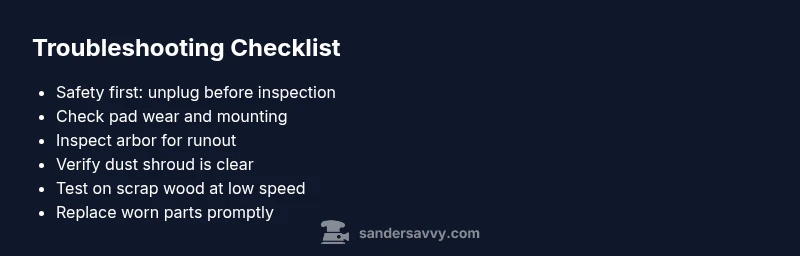
- Unplug the sander and remove the pad; inspect the backing plate for wear.
- Check the arbor/spindle for straightness and runout by rotating the pad manually; replace if wobble is evident.
- Mount a fresh pad with the correct mounting hardware; tighten to the manufacturer’s torque spec.
- Reconnect dust control and verify there is no binding in the shroud.
- Plug in, set a low speed, and test on a scrap piece of wood with light pressure to confirm smooth operation.
Safety and Common Mistakes to Avoid
Always unplug the tool before maintenance and never force a pad onto a misaligned arbor. Using the wrong grit pad or a damaged backing plate will always lead to vibration or jumping. If you hear grinding, see sparks, or the tool stalls, stop and inspect the arbor and motor brushes for wear. If the issue persists after all checks, stepping away to avoid injury and seeking professional service is wise.
How to Test on Scrap Wood Safely
Testing on scrap allows you to confirm the fix without risking your project. Mount a fresh pad, run the sander at low speed, and apply only light, even pressure. If the sander continues to jump, re-check the pad, clamp, and arbor. With a stable assembly, you should see consistent contact with the wood and minimal hopping. Reintroduce workpieces gradually and observe how the sander behaves at typical operating speeds.
Prevention Tips for Long-Term Stability
- Use the correct pad size and grit for each job.
- Inspect the pad and mounting hardware before each project.
- Clean the dust shroud and keep the vacuum clear of obstructions.
- Store the sander in a clean, dry place to prevent rust on the arbor.
- Schedule periodic checks for bearings and motor brushes if you notice reduced performance over time.
Steps
Estimated time: 20-40 minutes
- 1
Power down and remove the pad
Unplug the sander and remove the sanding pad to access the backing plate and mounting hardware. Look for wear, cracks, or looseness. This first check is your quickest win and often resolves jumping if the pad is worn or improperly seated.
Tip: Keep track of all fasteners; loose nuts can fall into the tool cavity. - 2
Inspect the arbor and pad mounting
Hold the spindle stationary and gently try to rotate the pad. Look for obvious wobble or runout. If you notice play or rough rotation, the arbor or bearings may be damaged or the pad may be misaligned. Replace faulty components.
Tip: Use the manufacturer’s service guide for torque specs. - 3
Replace with a correct pad and mount
Install a new pad that matches the sander model and backing plate. Tighten the mounting screws or nut to the recommended torque. Ensure the clamp is secure and aligned with the pad's center.
Tip: Avoid overtightening, which can crack the backing plate. - 4
Check dust shroud and vacuum path
Inspect the dust shroud for cracks or obstructions. Ensure the vacuum hose is not pulling on the sander and that the path remains clear so the pad can rotate freely without binding.
Tip: Validate airflow by running the vac off-device to compare behavior. - 5
Test on scrap wood at low speed
Reconnect power, set the sander to a low speed, and lightly engage a scrap piece. Observe whether the tool sits flat and smooth or still jumps. If it hops, repeat the inspections with fresh components.
Tip: Gradually increase speed only after confirming stability.
Diagnosis: Sander jumps or hops during operation even at light load
Possible Causes
- highLoose or worn sanding pad and mounting hardware
- mediumBent/damaged arbor or spindle
- mediumImproper pad mounting or incorrect clamp
- lowDust shroud clogged or vacuum binding causing reluctance
Fixes
- easyTighten or replace the sanding pad and mounting hardware; verify clamp is secure
- mediumInspect arbor for runout; replace if damaged and ensure proper alignment
- easyEnsure correct pad type and grit; reseat pad with fasteners tightened to spec
- easyClean dust shroud and re-check vacuum hose alignment; ensure unobstructed rotation
Your Questions Answered
What causes an orbital sander to jump?
Jumping is most commonly caused by a loose or worn pad, mounting hardware, or a bent arbor. Other factors include improper pad mounting, incorrect grit, and dust shroud binding. Systematic checks usually identify and fix the issue.
Jumping is usually from a loose pad, bent arbor, or mounting issues. Check those parts first and test on scrap wood.
Can a bent arbor cause jumping?
Yes. A bent or damaged arbor creates imbalance and causes the sander to hop. Inspect for runout and replace the arbor if necessary.
A bent arbor can definitely cause hopping. Inspect and replace if needed.
How do I test my sander on scrap wood?
Mount a fresh pad, set the sander to a low speed, and lightly press the scrap. Observe for smooth contact without hopping. If it hops, revisit pad, clamp, and arbor checks.
Test on scrap wood at low speed to confirm the fix.
Is it safe to replace the pad myself?
Yes, with proper precautions. Unplug the tool, use the correct pad, and follow the manufacturer’s torque specs. If you’re unsure, consult the user manual or a pro.
Pad replacement is safe if you unplug first and follow the manual.
Why does dust collection affect jumping?
A clogged shroud or restricted vacuum path can add binding or lift the pad slightly, causing hopping. Clear the shroud and ensure unobstructed rotation.
Dust collection issues can bind the pad, causing jumping.
When should I replace the sander instead of repairing?
If the motor shows reduced power, bearings are worn, or repeated repairs fail to restore stability, consider replacing the unit.
If repairs fail and performance drops, it may be time to replace.
Watch Video
Main Points
- Check pad wear and mounting first to stop jumping quickly
- Inspect arbor for runout and replace damaged parts
- Use the correct pad type and keep the dust path clear
- Test on scrap wood at low speed before resuming work
- If unresolved, seek professional service to prevent injury