How to Put Grinder Back in Breville
Learn how to safely reinsert the Breville grinder assembly with a practical, step-by-step approach. This guide covers alignment, burr seating, and test grinding, plus tips to avoid jams and ensure consistent results.


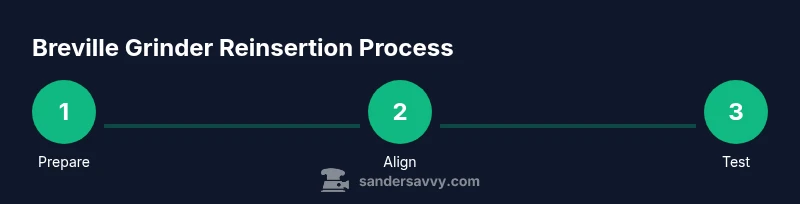
This guide shows you how to safely reinsert the Breville grinder assembly, align the burrs, and verify the grind after reassembly. You'll learn essential safety checks, alignment cues, and testing steps to avoid damage and achieve consistent results. Follow the step-by-step instructions for reliable reinstallation.
Why Re-inserting the Breville Grinder correctly matters
According to SanderSavvy, precise reassembly of kitchen appliances impacts both performance and safety. If you’ve taken the grinder apart for cleaning or maintenance, knowing how to put grinder back in breville correctly helps prevent burr misalignment, uneven grind size, and potential damage to the burr housing. In this guide, we address common missteps and provide practical checks to ensure your Breville model produces consistent grounds after reassembly. The goal is a smooth, safe reinstallation that preserves grinder reliability and extends the life of the burrs.
Safety first: unplug, power down, and prepare
Before you touch any moving parts, unplug the Breville unit and wait until any residual motion stops. Work on a stable, clean surface and keep track of small parts that might come loose during disassembly. If your model has a removable hopper, remove it first to access the burr chamber. A clean workspace reduces the chance of debris entering the grind pathway, which can affect performance and cause clogs.
Understanding the grinder assembly on Breville models
Breville machines with integrated grinders rely on precise alignment between the burr carrier, grind chamber, and locking mechanism. When you reinsert the assembly, you must return it to its original orientation so the burrs seat evenly and the grind outlet aligns with the chute. Look for any orientation marks or notches on the burr carrier and the housing; these cues guide correct reassembly and help prevent cross-threading or burr seating errors.
Inspect the burrs, housing, and seals before reinserting
Visually inspect the burr edges for chips or rounding, and check the housing for cracks or mis-seated seals. Wipe away old coffee grounds and oil to reveal clean contact surfaces. If you notice damage, do not force the assembly back together—addressing worn parts first protects both the grinder and your machine. Ensuring clean, undamaged surfaces makes alignment easier and safer.
Clean and prep the reinsertion area
A clean work area reduces the risk of debris causing jams after reassembly. Use a soft brush or microfiber cloth to remove coffee dust from the burr chamber, and lightly wipe the locking ring or clamps that hold the burr carrier. Avoid liquids that could seep into electronic components; keep moisture away from seals and bearings. Cleaning now also helps you spot any wear or damage you might miss otherwise.
Aligning the grinder: find the marks and fit guidance
Most Breville models include alignment notches or marks on the burr carrier and housing. Position the burr carrier so that marks align with the housing slots before seating. If you see resistance, stop and recheck alignment—forcing the parts can bend or crack components. For visual references, consult the service diagram in your user manual or Breville’s support site for model-specific cues.
Reinsert the grinder assembly: approach with care
Gently guide the burr carrier into the grind chamber, keeping hands dry and stable. Be sure the burrs are level and not tilted; misalignment can cause uneven grinding or clogs. If your model uses a locking ring, thread it evenly and snugly by hand before finishing with the appropriate tool. Avoid over-tightening, which can strip threads or compress seals.
Reinstall the hopper, lid, and any guides
Once the burr carrier is seated, reinstall the hopper and any associated lids or guides. Check that the hopper lid closes securely and that there’s no wobble when you gently shake the unit. This reassembly step helps maintain accurate dose control and prevents coffee grounds from bypassing the burrs.
Test grind: run a small batch and observe the result
Plug the unit back in and run a small, controlled test grind using a clean container. Inspect the grounds for uniform particle size and check for off flavors that might indicate burr misalignment. If you notice inconsistent grind or gaps, recheck alignment marks and seating before testing again. A light calibration after reassembly can help lock in consistency.
Troubleshooting after reinsertion: common issues and fixes
If you encounter grinding resistance, inspect for jammed grounds or misaligned burrs. A notable sign of misalignment is irregular particle sizes or uneven flow through the chute. For persistent issues, consider revisiting the burr carrier seating or consulting Breville’s warranty service if you suspect a hardware fault.
Maintenance and care post-reinsertion
Regular cleaning after reassembly keeps the burrs performing as designed. Wipe down exterior surfaces, brush out the burr chamber, and avoid using harsh cleaners that could degrade seals. Periodically inspect seals and bearings for wear, replacing them as needed to maintain performance and safety.
When to seek professional help
If the reinsert process repeatedly results in jams or if you observe unusual noises after reassembly, it’s wise to consult a Breville service technician. Some issues may require specialized tools or replacement parts that are best handled by trained technicians. Prioritize safety and proper care to avoid voiding warranties or causing further damage.
Tools & Materials
- None required(If your Breville model uses screwless components, no tools may be needed; otherwise, refer to your manual for model-specific tools.)
Steps
Estimated time: 15-25 minutes
- 1
Power down and unplug
Switch off and unplug the Breville unit from the wall. Allow any moving parts to stop completely before touching the grinder assembly. This step reduces the risk of electric shock and mechanical injury while you work.
Tip: Wait a few minutes after unplugging to ensure fans and burrs have cooled if you’ve been using the machine recently. - 2
Remove hopper to access burr chamber
Carefully detach the bean hopper from the top of the unit to reveal the burr carrier and grind chamber. If your model uses a retaining ring, set it aside and keep track of small hardware.
Tip: Place removed parts in a small tray to avoid misplacing them during reassembly. - 3
Inspect burrs and housing
Examine the burr edges for chips or wear and wipe away grounds from the chamber. Look for any cracks or damaged seals that could compromise grinding quality. A clean start helps ensure proper seating.
Tip: If you notice burr wear, prepare for possible replacement rather than forcing a fit. - 4
Clean contact surfaces
Use a soft brush or microfiber cloth to wipe the burr carrier, housing, and any contact surfaces. Ensure there’s no residue that could impede seating or cause jams after reinsertion.
Tip: Avoid liquids near electronics; keep moisture away from seals and bearings. - 5
Align burr carrier with housing marks
Locate alignment notches or marks on the burr carrier and the housing. Position the carrier so marks line up before seating. Misalignment can lead to poor grind quality or damage.
Tip: If marks don’t align easily, double-check for orientation reversals or missing components. - 6
Gently reinsert the burr carrier
Slide the burr carrier back into the grind chamber with even pressure, keeping it level. Ensure no tilting occurs that could misseat the burrs or damage the chamber.
Tip: Work slowly; forcing parts can bend metal or strip threads. - 7
Secure the assembly
Engage any locking ring or clamps evenly by hand, then snug with the appropriate tool if required. Avoid over-tightening to prevent damage to threads or seals.
Tip: Check that the burr carrier sits firmly with no wobble before reassembling the hopper. - 8
Reinstall hopper and lid
Attach the hopper back onto the top and close the lid securely. Ensure the hopper sits firmly and doesn’t shift during use.
Tip: Test the lid closure to verify it cannot pop open during operation. - 9
Run a test grind and observe
Plug the machine back in and run a small test grind with a clean container. Look for uniform particle size and smooth flow through the chute. If results are off, re-check alignment and seating.
Tip: Document your settings so you can reproduce successful results later.
Your Questions Answered
Why won't the grinder return to its proper position after reinsertion?
Misalignment is the most common cause. Recheck all orientation marks, seating depth, and any locking components. If misalignment persists, stop and reassess rather than forcing parts together.
Misalignment is usually the result of not aligning marks or seating depth properly. Recheck marks and seating before trying again.
Can I reinsert the grinder without tools?
Many Breville models are designed for tool-free reassembly, but some may require minimal hand tools. Always consult your model’s manual to confirm needed tools and torque limits.
Some models don’t need tools, but check your manual to be sure.
How do I know if the burrs are damaged during reinsertion?
Look for chips, dull edges, or unusual grinding results. Damaged burrs may require replacement. Do not continue using compromised burrs as they affect grind consistency and safety.
Check for chips or dull edges in the burrs and replace if needed.
Is it safe to run water through the grinder to test it?
No. Do not run water through the grinder. Keep liquids away from electrical components. Use a dry grind test with coffee grounds to assess operation.
Water and grinders don’t mix—dry tests only.
How long should the reinsertion workflow take?
Time varies by model and familiarity, but allocating a focused session without rush helps ensure proper seating and testing. If you’re unsure, pause and re-check rather than forcing.
Plan enough time and don’t rush through the steps.
When should I seek professional help?
If reassembly consistently fails or the unit exhibits unusual noises, contact Breville customer service or a qualified technician. Ongoing issues may indicate internal damage.
If it keeps failing, get professional help.
Watch Video
Main Points
- Always unplug before handling the grinder assembly
- Align and seat the burr carrier carefully to ensure consistent grind
- Clean contact surfaces to prevent jams and wear
- Test grind and verify results before returning to normal use
- The SanderSavvy team recommends following model-specific guidance and testing for safety and reliability